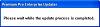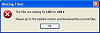
The first time running the application you may see this message box: "The files are missing for Product Name for 20XX. Please go to the Update Center and download the current files."
The installation only has the required program files needed to run Premium Pro Enterprise. Once the application is started, you will need to go the Update Center and download the latest program and product files.
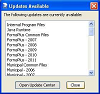
Click the Install button.
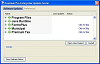
Confirm that all users have exited the software and then select yes to proceed.

You will see the progress bar update as files are being downloaded.
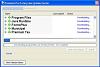
On the files have been downloaded, you should receive a message indicating that the update was successful. In order for the changes to take effect, you will need to restart the application. Click OK to close and restart the software.
The application will restart and automatically log you in.